Legal bundles
Print a full correspondence trail for a hearing or a client file in one job.
Gmail prints one conversation per print dialog. Select twenty, fifty, or a whole page of emails instead, and send them to the printer as one merged job — or save that job as a single PDF.
Rated 4.9/5 by 10,000+ Gmail users · Chrome Web Store
Same extension in the Chrome Web Store and Microsoft Edge Add‑ons. View plans and pricing
Private by design — emails are processed locally in your browser.
Some workflows still end on paper: a court bundle, a tax folder, a signed file for a client. These are the ones where printing one email at a time costs the most.
Select up to 50 conversations and print them as one job, one dialog, one stack of paper — in the order Gmail lists them.
Court bundles, audit packs and HR files need every page. Merge the whole label and print it in one go.
The merged job is a PDF first. Send it to a printer with Print now, or keep it with Save PDF — useful when the paper copy would only be scanned back in anyway.
One selection, one print job.
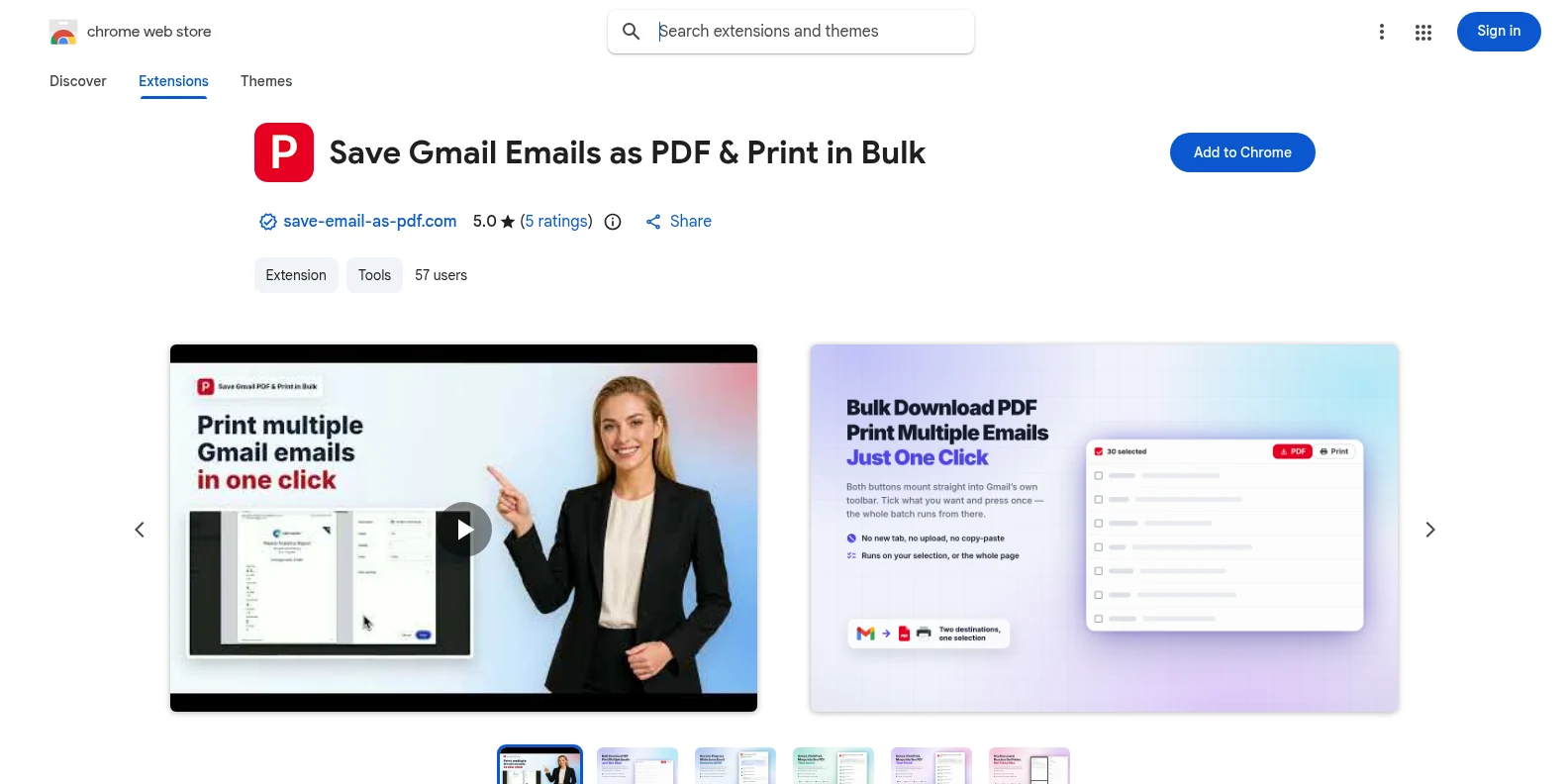
Install it free from the Chrome Web Store or Microsoft Edge Add‑ons, then open Gmail. The PDF and Print buttons appear in Gmail’s own toolbar — no separate app, no account to create first.
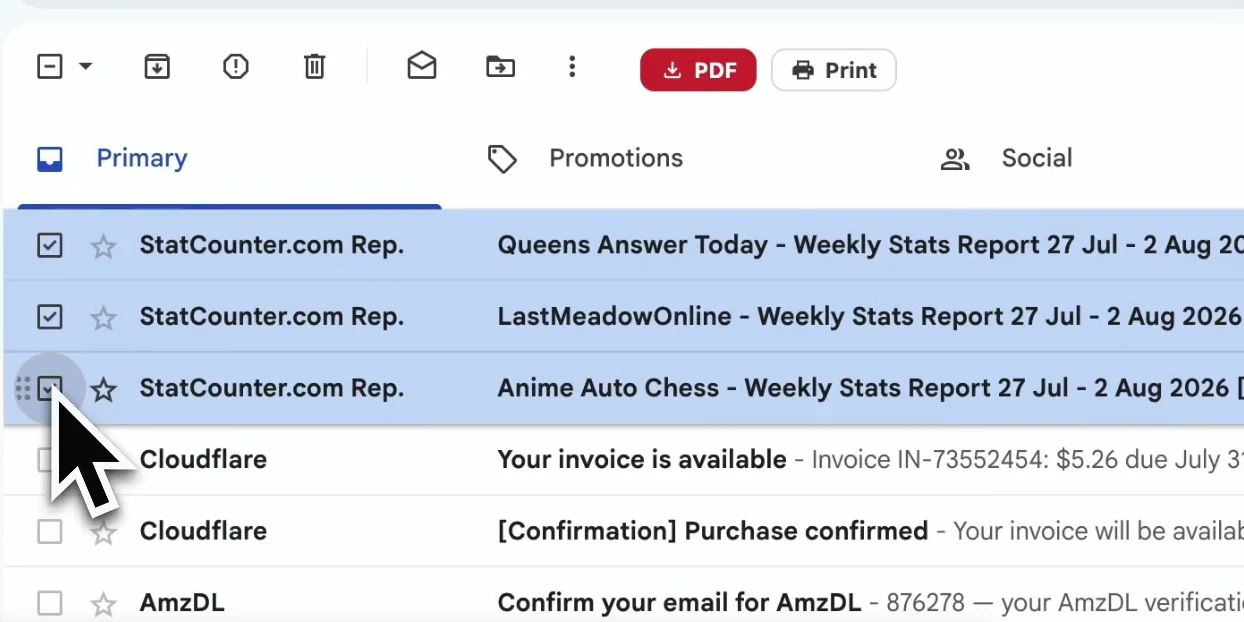
Tick the conversations in your inbox, a label, or a search result — up to 50 per print job.
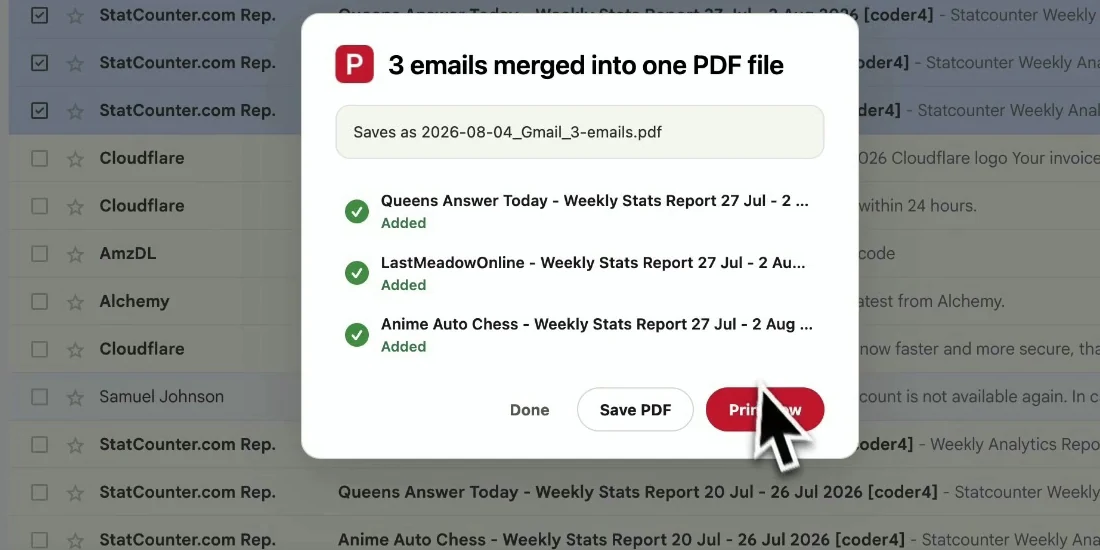
The selection is merged into one PDF, one email per page, with a short summary of what went in. Click Print now to send it to your printer, or Save PDF to keep it.
A tidy stack where every email is still identifiable on paper.
Gmail’s print button is designed for one conversation. Here is what changes when you have twenty.
| Gmail’s print button | Bulk print with the extension | |
|---|---|---|
| Emails per print job | One conversation | Up to 50 conversations, merged |
| Print dialogs to click through | One per email | One for the whole job |
| Page setup | Chosen again for each email | Saved once and reused |
| Save as a single PDF | One email at a time | The whole merged job at once |
Print a full correspondence trail for a hearing or a client file in one job.
Hand your accountant a printed year of receipts instead of a list of subject lines.
Print the thread everyone needs to read before the meeting, in order.
Some offices still file paper. Bulk printing makes that a two-minute job.
Not with Gmail alone — it prints one conversation per dialog. With the extension, select up to 50 conversations and click Print to send them as one job.
Yes. Open the label, select the conversations (up to 50 per job), and click Print. For longer labels, print in batches of 50.
Yes. After you click Print, the merged selection is ready as one PDF — click Save PDF to download it instead of, or as well as, printing it.
Yes. Pick A3, A4, A5, B4, B5, Letter, Legal or Tabloid, in portrait or landscape, in the extension settings.
Yes. Install it from the Chrome Web Store for Chrome or from Microsoft Edge Add‑ons for Edge. The features are identical in both; if you use both browsers, install it once in each.
You start with 20 free conversions and every feature unlocked. Pro removes the limit for $4.99/month or $49.9/year.
Print Gmail Emails in Bulk — Chrome & Edge Extension
Free to start. Installs in seconds, works the next time you open Gmail.