보관
받은편지함을 정리하기 전에 라벨 하나를 통째로, 검색 가능한 완전한 기록으로 남겨 두세요.
수십 통의 Gmail 이메일을 클릭 한 번으로 PDF 하나에 담으세요. 한 통씩 인쇄할 필요도, 복사해 붙여넣을 필요도, 20분씩 걸리는 번거로운 우회 방법도 필요 없습니다.
10,000명 이상의 Gmail 사용자 평점 4.9/5 · Chrome 웹 스토어
같은 확장 프로그램을 Chrome 웹 스토어와 Microsoft Edge 추가 기능에서 제공합니다. 요금제 및 가격 보기
개인정보 보호 설계: 이메일은 브라우저에서 로컬로 처리됩니다.
일괄 내보내기는 따로따로 받은 여러 Gmail 메일을 결과물 하나로 모을 때 씁니다. 필요한 메일이 무엇인지 이미 알고 있다면 가장 빠른 방법입니다.
영수증, 인보이스, 고객 지원 문의, 프로젝트 메일처럼 이미 라벨 하나로 정리해 둔 메일을 그대로 내보내세요.
보낸사람, 날짜, 제목 또는 Gmail 검색 연산자로 찾은 뒤, 일치하는 메일을 PDF 하나로 만들어 감사나 인수인계에 활용하세요.
대화 하나가 아니라 여러 건을 묶은 기록이 필요할 때, 목록에서 원하는 메일을 하나씩 골라 선택하세요.
복사·붙여넣기도, 수동 인쇄도 필요 없는 간단한 3단계입니다.
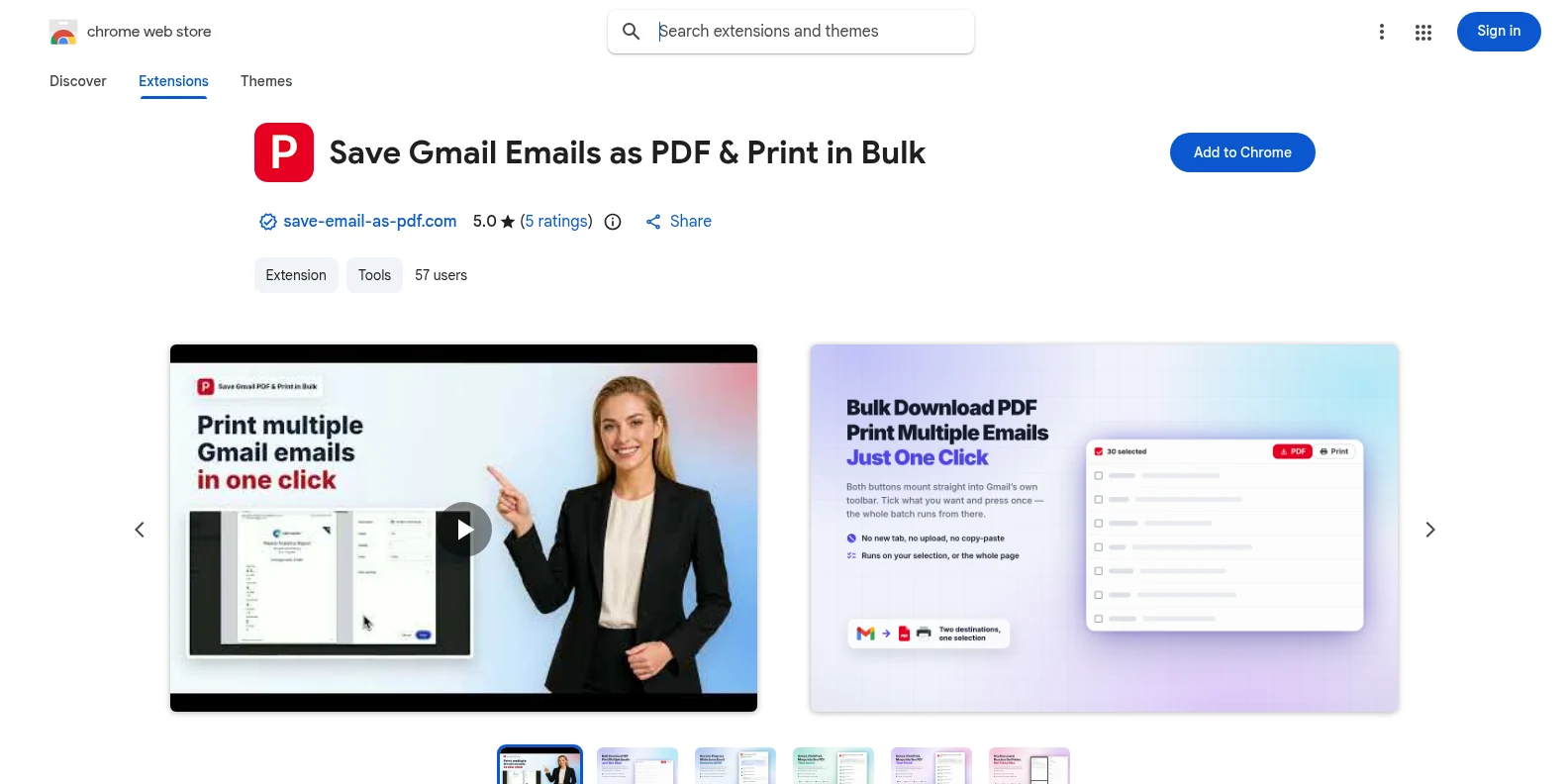
Chrome 웹 스토어나 Microsoft Edge 추가 기능에서 무료로 설치한 뒤 Gmail을 여세요. PDF와 인쇄 버튼이 Gmail 툴바에 바로 나타납니다. 별도의 앱도, 미리 만들어야 할 계정도 없습니다.
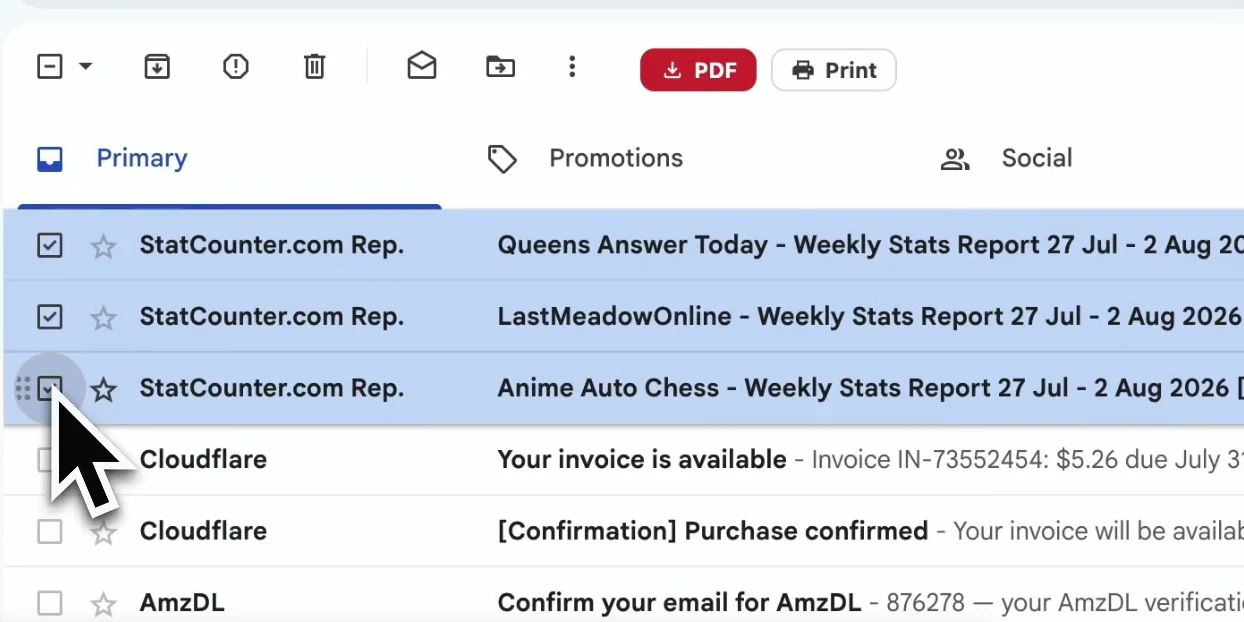
메일을 하나씩 체크하거나, Gmail 라벨·보낸사람·검색 결과로 걸러서 필요한 목록을 선택하세요.
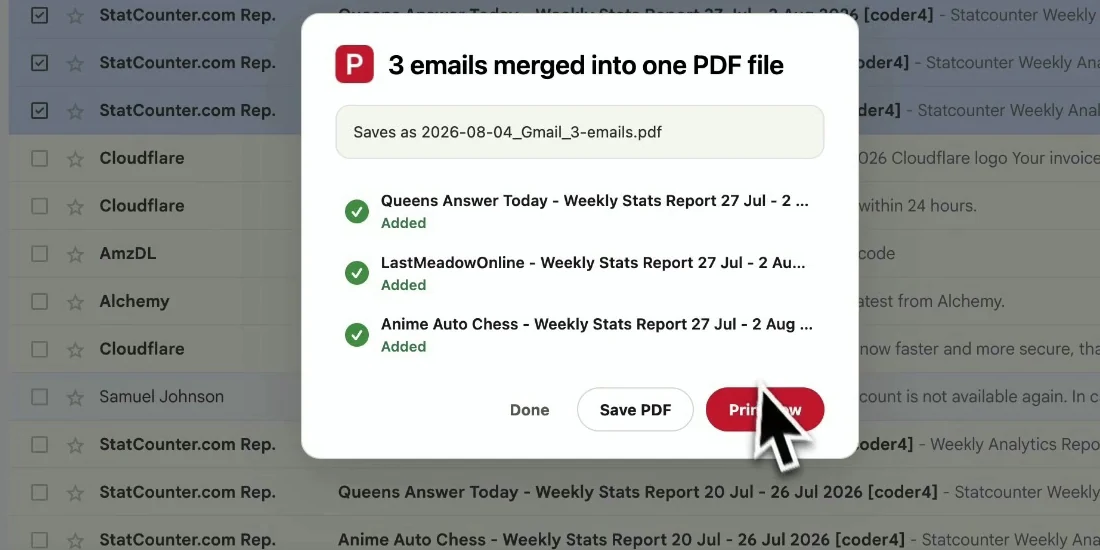
파일 이름과 페이지 설정을 정한 뒤 선택한 메일을 내보내세요. 메일은 원래 순서 그대로 담기고 기기로 바로 다운로드됩니다.
완성된 문서는 보관, 공유, 인쇄에 바로 쓸 수 있습니다. 이메일을 이해하는 데 필요한 맥락도 그대로 남습니다.
받은편지함을 정리하기 전에 라벨 하나를 통째로, 검색 가능한 완전한 기록으로 남겨 두세요.
Gmail에 접근할 필요가 없는 고객, 동료, 감사인에게 읽기 쉬운 PDF로 보내세요.
주문, 계약, 승인, 영수증을 타임스탬프와 헤더까지 그대로 보존하세요.
쌓인 메일을 줄이기 전에 중요한 서신을 한 번에 백업해 두세요.
네. 20회 무료 변환으로 시작해 모든 내보내기 기능을 써 볼 수 있습니다. Pro는 월 $4.99 또는 연간 $49.9에 무제한 변환을 제공합니다.
네. Gmail 라벨, 보낸사람별 보기, 검색 결과를 열고 표시된 메일을 선택한 뒤 PDF 하나로 내보내면 됩니다.
개별 PDF로 내보낼 때는 Gmail 한 페이지에서 선택할 수 있는 만큼이면 별도 제한이 없습니다. 문서 하나로 합칠 때는 작업당 최대 50개 대화까지 가능합니다. PDF가 브라우저에서 생성되므로 선택한 양이 아주 많으면 시간이 더 걸립니다.
PDF에는 Gmail에 보이는 레이아웃, 헤더, 타임스탬프, 인라인 이미지가 그대로 담깁니다. 첨부 파일은 PDF와 함께 ZIP 파일로 다운로드됩니다.
아니요. 확장 프로그램은 브라우저에서 로컬로 PDF를 생성합니다. 이메일 내용과 첨부 파일은 저희 서버에 업로드되지 않습니다.
아니요. 개인 Gmail과 Google Workspace 계정을 포함한 Gmail 전용으로 만들어졌으며, Chrome과 Edge 모두에서 작동합니다.
Gmail 이메일을 PDF로 일괄 내보내기
무료로 시작하세요. 몇 초면 설치되고, 다음에 Gmail을 열면 바로 사용할 수 있습니다.