الأرشفة
احتفظ بسجلّ كامل وقابل للبحث لتصنيف ما قبل أن تنظّف بريدك الوارد.
حوّل عشرات الرسائل من Gmail إلى ملف PDF واحد بنقرة واحدة. لا طباعة يدوية، ولا نسخ ولصق، ولا حلول ملتوية تستهلك عشرين دقيقة.
تقييم 4.9/5 من أكثر من 10,000 مستخدم لـ Gmail · سوق Chrome الإلكتروني
الإضافة نفسها في Chrome Web Store وفي الوظائف الإضافية لـ Microsoft Edge. عرض الخطط والأسعار
الخصوصية أولًا: تتم معالجة الرسائل محليًا في متصفحك.
التصدير الدفعي مخصّص لجمع رسائل Gmail المتفرقة في ملف واحد جاهز للتسليم. وهو الخيار الأسرع حين تعرف مسبقًا الرسائل التي تحتاجها.
صدّر الإيصالات والفواتير وتذاكر الدعم أو رسائل المشروع التي جمعتها مسبقًا تحت تصنيف واحد.
ابحث حسب المُرسِل أو التاريخ أو الموضوع أو أحد عوامل البحث في Gmail، ثم حوّل الرسائل المطابقة إلى ملف PDF واحد لتدقيق أو لتسليم العمل.
حدّد رسائل بعينها من القائمة حين تحتاج إلى سجلّ مجمّع لا إلى محادثة واحدة.
ثلاث خطوات واضحة، دون نسخ ولصق ودون طباعة يدوية.
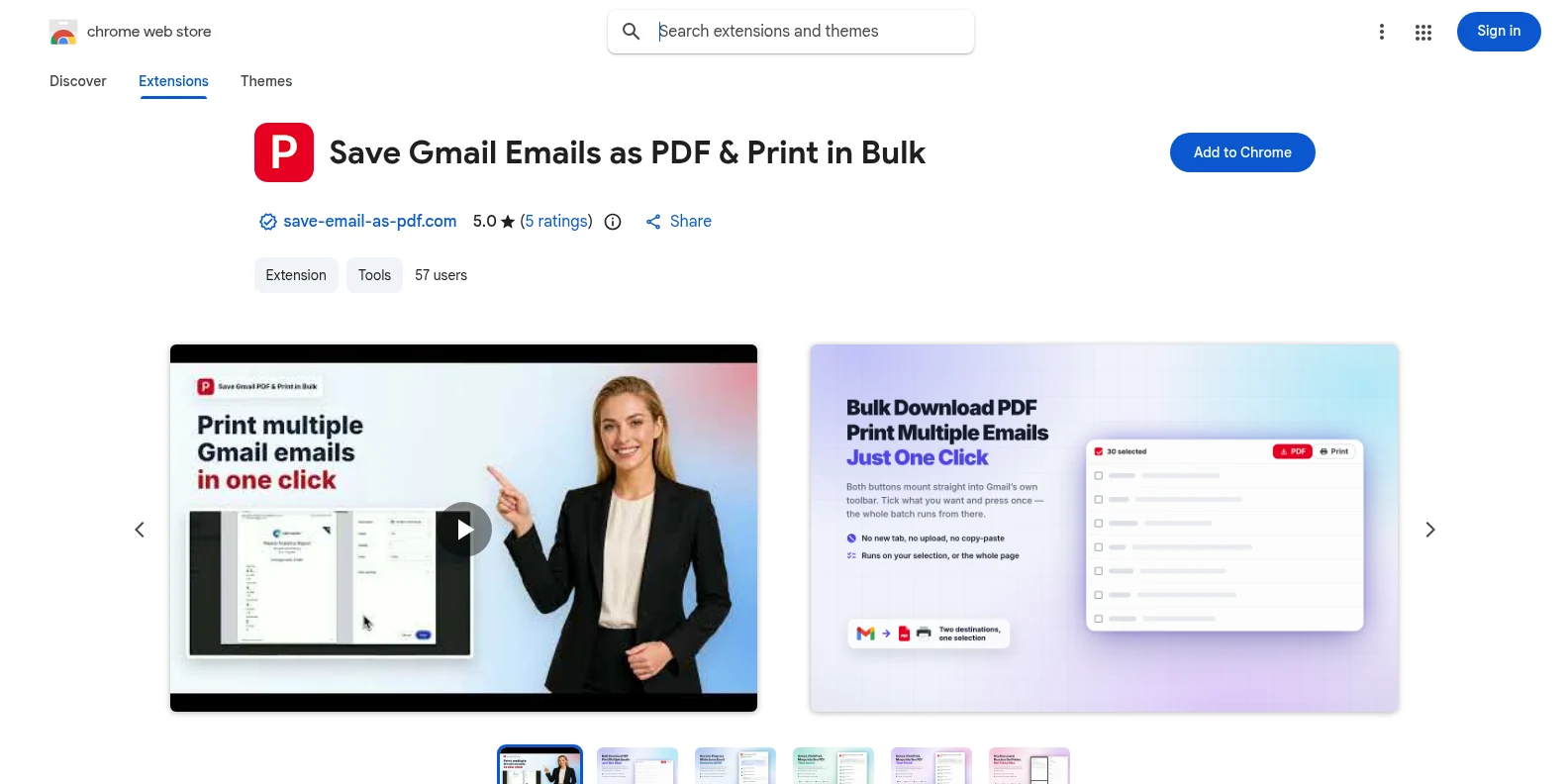
ثبّتها مجانًا من Chrome Web Store أو من الوظائف الإضافية لـ Microsoft Edge، ثم افتح Gmail. يظهر زرّا PDF والطباعة في شريط أدوات Gmail نفسه — دون تطبيق منفصل، ودون حساب تنشئه أولًا.
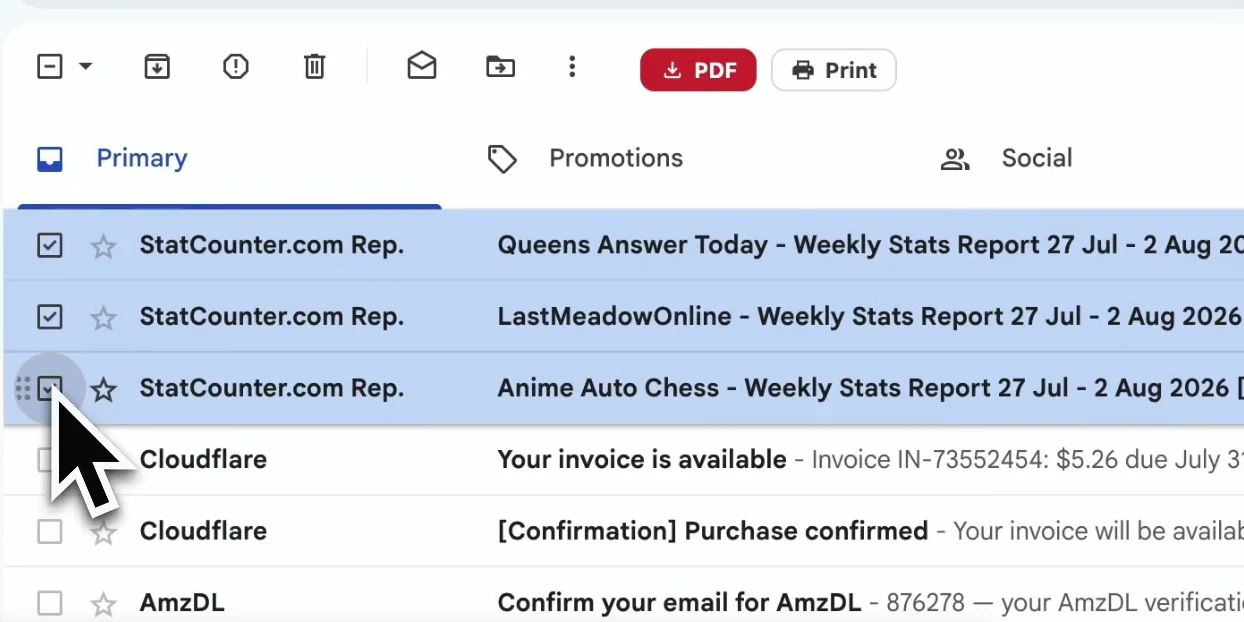
أشِّر على رسائل بعينها، أو صفِّ حسب تصنيف Gmail أو المُرسِل أو نتيجة البحث وحدّد القائمة التي تحتاجها.
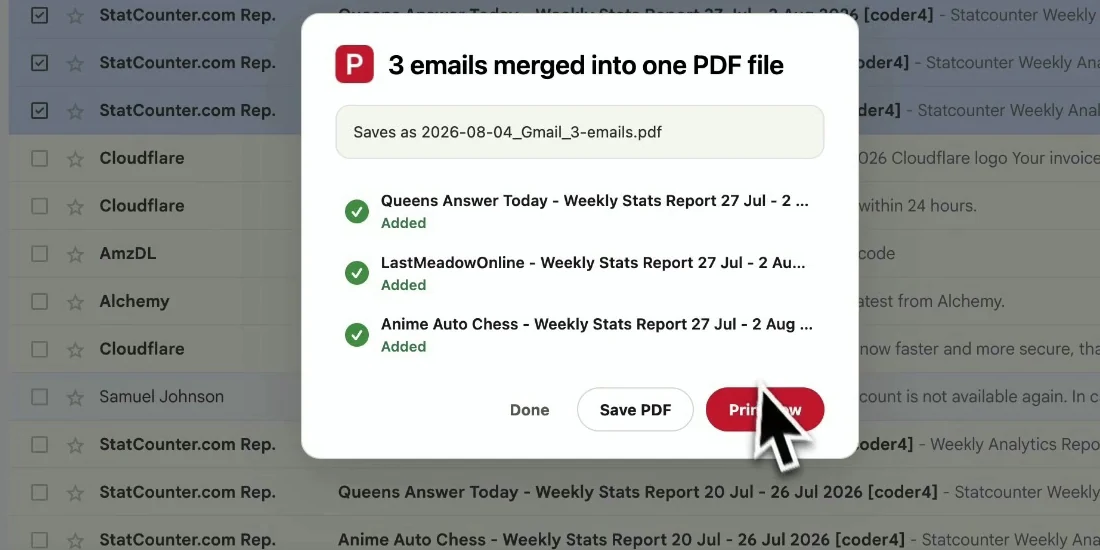
اختر اسم الملف وإعدادات الصفحة، ثم صدّر الرسائل المحدّدة. تبقى الرسائل بترتيبها الأصلي وتُنزَّل مباشرة إلى جهازك.
المستند النهائي جاهز للأرشفة أو المشاركة أو الطباعة — دون أن يفقد السياق الذي يجعل الرسالة مفيدة.
احتفظ بسجلّ كامل وقابل للبحث لتصنيف ما قبل أن تنظّف بريدك الوارد.
أرسل ملف PDF سهل القراءة إلى عميل أو زميل أو مدقّق لا يحتاج إلى الوصول إلى Gmail.
احفظ الطلبات والعقود والموافقات والإيصالات بطوابعها الزمنية وترويساتها.
انسخ المراسلات المهمة احتياطيًا دفعة واحدة قبل أن تخفّف زحام بريدك الوارد.
نعم. يمكنك البدء بـ 20 تحويلًا مجانيًا وتجربة كل مميزات التصدير. وتتيح باقة Pro تحويلات غير محدودة بسعر $4.99/شهر أو $49.9/سنة.
نعم. افتح تصنيفًا في Gmail أو رسائل مُرسِل معيّن أو نتيجة بحث، وحدّد الرسائل المعروضة، ثم صدّرها كملف PDF واحد.
عند التصدير كملفات PDF منفصلة لا يوجد حد ثابت سوى ما يمكنك تحديده في صفحة Gmail. أما الدمج في مستند واحد فيتّسع لما يصل إلى 50 محادثة في كل عملية. وتستغرق التحديدات الكبيرة جدًا وقتًا أطول لأن ملف PDF يُنشأ في متصفّحك.
يحافظ ملف PDF على تخطيط Gmail كما يظهر، وعلى الترويسات والطوابع الزمنية والصور المضمّنة. أما المرفقات فتُنزَّل إلى جانب ملفات PDF في ملف ZIP.
لا. تُنشئ الإضافة ملفات PDF محليًا في متصفّحك. ولا يُرفَع محتوى رسائلك ولا مرفقاتها إلى خوادمنا.
لا. صُمّمت لـ Gmail، بما في ذلك حسابات Gmail الشخصية وحسابات Google Workspace. وتعمل في Chrome وEdge كليهما.
تصدير رسائل Gmail إلى PDF دفعة واحدة
ابدأ مجانًا. تُثبَّت خلال ثوانٍ وتعمل في المرة التالية التي تفتح فيها Gmail.